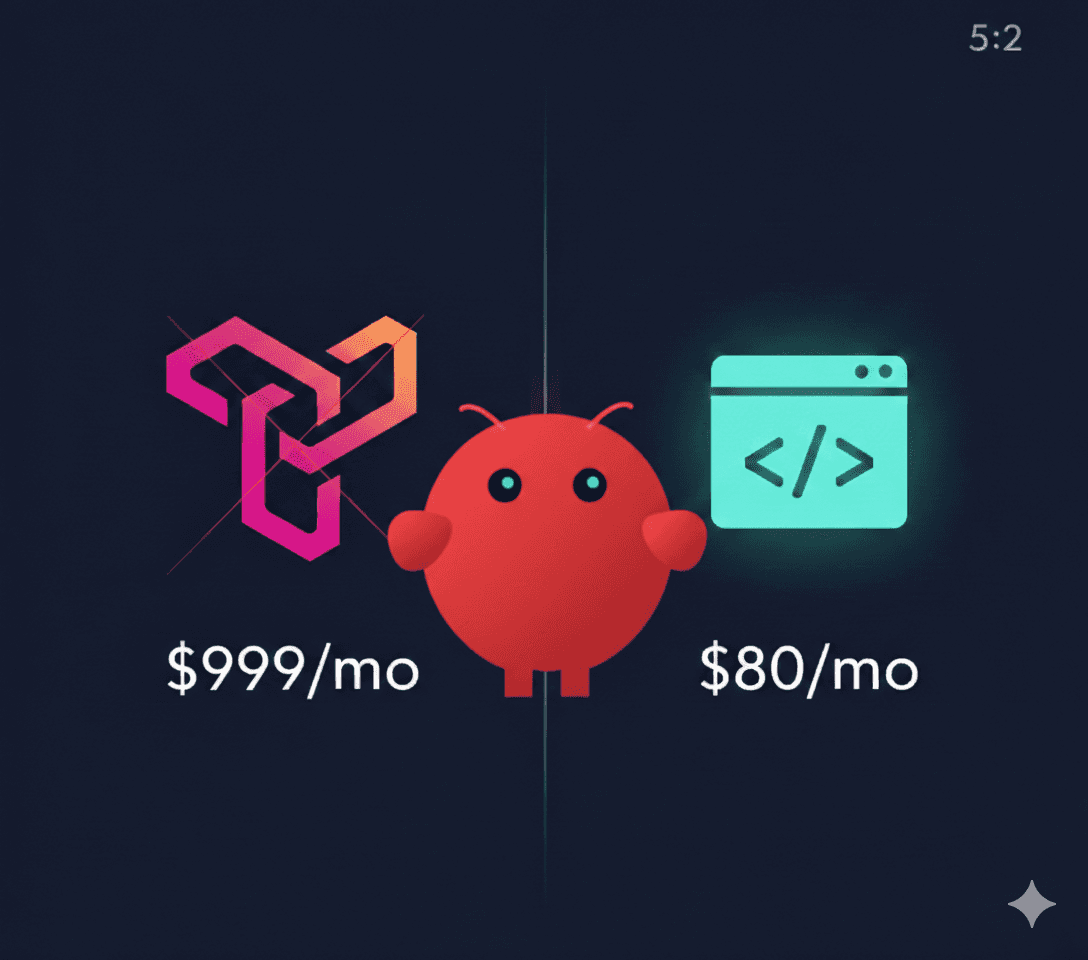
We Replaced Our $999/Mo Trigify Subscription With $70-80/Mo of APIs. Here's the System.
LinkedIn engagement tracking. Intent signals. Lead scoring. Trigify does all of it — and charges accordingly. We needed the same data across multiple campaigns but couldn't justify $999/month. So we built our own. Here's the exact stack, scoring logic, resilience setup, and cost breakdown.
---
What Trigify Does (And Why It Works)
Trigify tracks LinkedIn engagement in real-time.
Someone comments on a competitor's post about sales automation? Trigify catches it. A VP at your target account likes three posts about "scaling outbound"? Trigify flags them.
The value: people who engage with relevant LinkedIn content are signaling intent. They're not just scrolling — they're actively thinking about the problem you solve.
We used it. It worked. We were paying $999/month for it.
Then we needed to track multiple ICPs across different campaigns. The math stopped making sense.
---
Why We Built Our Own
Three reasons:
1. Multi-campaign economics didn't work
We run cold email for clients across different industries. Each campaign needs different engagement signals, different keywords, different scoring logic.
Campaign A: Franchise candidates engaging with business ownership content
Campaign B: Marketing leaders engaging with SEO influencers (Neil Patel, Rand Fishkin)
Campaign C: SaaS buyers engaging with sales automation posts
Trigify's pricing makes sense for one team tracking one ICP. At our scale, we were looking at $999-2,000/month minimum.
2. We needed custom scoring
Trigify gives you the engagement. You decide what it means.
We wanted scoring baked in. Not "this person liked a post" but "this is a 75-point lead because they're a Director-level in our target industry, in our target location, showing ownership interest, with high engagement."
That's custom logic.
3. We were already in the stack
Clay for enrichment. Apify for scraping. Webhooks everywhere. Building LinkedIn tracking into existing infrastructure was less work than another SaaS integration.
---
The System: 5 Components
┌──────────────────────────────────────────────────────────────┐<p dir="ltr">│ LINKEDIN INTENT SYSTEM │</p><p dir="ltr">├──────────────────────────────────────────────────────────────┤</p><p dir="ltr">│ │</p><p dir="ltr">│ [Apify Actor] → [BullMQ Queue] → [Scoring Engine] → [Clay]</p><p dir="ltr">│ LinkedIn Post Redis State Node.js Script Webhook</p><p dir="ltr">│ Search + Job Queue + Dedup + CRM</p><p dir="ltr">│ │</p><p dir="ltr">│ ↑ │</p><p dir="ltr">│ PM2 + Cron (3x daily: 8 AM, 12 PM, 4 PM ET) │</p><p dir="ltr">│ │</p><p dir="ltr">│ [Slack Bot] ← /trigify add, /trigify run, /trigify status │</p><p dir="ltr">└──────────────────────────────────────────────────────────────┘</p
┌──────────────────────────────────────────────────────────────┐<p dir="ltr">│ LINKEDIN INTENT SYSTEM │</p><p dir="ltr">├──────────────────────────────────────────────────────────────┤</p><p dir="ltr">│ │</p><p dir="ltr">│ [Apify Actor] → [BullMQ Queue] → [Scoring Engine] → [Clay]</p><p dir="ltr">│ LinkedIn Post Redis State Node.js Script Webhook</p><p dir="ltr">│ Search + Job Queue + Dedup + CRM</p><p dir="ltr">│ │</p><p dir="ltr">│ ↑ │</p><p dir="ltr">│ PM2 + Cron (3x daily: 8 AM, 12 PM, 4 PM ET) │</p><p dir="ltr">│ │</p><p dir="ltr">│ [Slack Bot] ← /trigify add, /trigify run, /trigify status │</p><p dir="ltr">└──────────────────────────────────────────────────────────────┘</p
┌──────────────────────────────────────────────────────────────┐<p dir="ltr">│ LINKEDIN INTENT SYSTEM │</p><p dir="ltr">├──────────────────────────────────────────────────────────────┤</p><p dir="ltr">│ │</p><p dir="ltr">│ [Apify Actor] → [BullMQ Queue] → [Scoring Engine] → [Clay]</p><p dir="ltr">│ LinkedIn Post Redis State Node.js Script Webhook</p><p dir="ltr">│ Search + Job Queue + Dedup + CRM</p><p dir="ltr">│ │</p><p dir="ltr">│ ↑ │</p><p dir="ltr">│ PM2 + Cron (3x daily: 8 AM, 12 PM, 4 PM ET) │</p><p dir="ltr">│ │</p><p dir="ltr">│ [Slack Bot] ← /trigify add, /trigify run, /trigify status │</p><p dir="ltr">└──────────────────────────────────────────────────────────────┘</p
Component 1: Apify LinkedIn Post Search
We use harvestapi~linkedin-post-search. Feed it queries, get structured post data.
Use Case A — Franchise Candidates:
const SEARCH_QUERIES = [<p dir="ltr">"laid off considering business ownership",</p><p dir="ltr">"severance starting my own",</p><p dir="ltr">"funemployment what's next",</p><p dir="ltr">"tired of corporate want to own",</p><p dir="ltr">"VP laid off",</p><p dir="ltr">"Director position eliminated"</p><p dir="ltr">];</p>
const SEARCH_QUERIES = [<p dir="ltr">"laid off considering business ownership",</p><p dir="ltr">"severance starting my own",</p><p dir="ltr">"funemployment what's next",</p><p dir="ltr">"tired of corporate want to own",</p><p dir="ltr">"VP laid off",</p><p dir="ltr">"Director position eliminated"</p><p dir="ltr">];</p>
const SEARCH_QUERIES = [<p dir="ltr">"laid off considering business ownership",</p><p dir="ltr">"severance starting my own",</p><p dir="ltr">"funemployment what's next",</p><p dir="ltr">"tired of corporate want to own",</p><p dir="ltr">"VP laid off",</p><p dir="ltr">"Director position eliminated"</p><p dir="ltr">];</p>
Use Case B — SEO/Marketing Leaders:
const MONITORED_PROFILES = [<p dir="ltr">{ name: "Neil Patel", username: "neilkpatel" },</p><p dir="ltr">{ name: "Rand Fishkin", username: "randfishkin" },</p><p dir="ltr">{ name: "Alex Hormozi", username: "alexhormozi" }</p><p dir="ltr">];</p><p dir="ltr">// Scrape engagers on their recent posts</p>const MONITORED_PROFILES = [<p dir="ltr">{ name: "Neil Patel", username: "neilkpatel" },</p><p dir="ltr">{ name: "Rand Fishkin", username: "randfishkin" },</p><p dir="ltr">{ name: "Alex Hormozi", username: "alexhormozi" }</p><p dir="ltr">];</p><p dir="ltr">// Scrape engagers on their recent posts</p>const MONITORED_PROFILES = [<p dir="ltr">{ name: "Neil Patel", username: "neilkpatel" },</p><p dir="ltr">{ name: "Rand Fishkin", username: "randfishkin" },</p><p dir="ltr">{ name: "Alex Hormozi", username: "alexhormozi" }</p><p dir="ltr">];</p><p dir="ltr">// Scrape engagers on their recent posts</p>Same infrastructure, different queries.
What Apify returns:
Post content and URL
Author name, title, LinkedIn URL
Engagement metrics (likes, comments, shares)
Post date
Cost: $1-3 per run depending on volume.
Component 2: The Scoring Engine
Raw posts mean nothing. A student posting about their "entrepreneurship journey" isn't a lead. A former VP of Sales posting about their severance package? Gold.
We score every engager/author on multiple dimensions:
Minimum threshold: 50 points.
We started at 20. Too much noise. Bumped to 50 and lead quality jumped dramatically.
Director (30) + target industry (20) + ownership interest (25) = 75 points. Qualified.
Random person who mentioned "entrepreneur" once? Maybe 25 points. Filtered out.
Component 3: Exclusion Filters
Equally important — what we DON'T want:
const EXCLUSION_KEYWORDS = [<p dir="ltr">'student', 'intern', 'entry level', 'junior',</p><p dir="ltr">'recent graduate', 'mlm', 'network marketing',</p><p dir="ltr">'crypto', 'bitcoin', 'nft', 'cannabis',</p><p dir="ltr">'we are hiring', 'recruiting for', 'my team is hiring'</p><p dir="ltr">];</p>
const EXCLUSION_KEYWORDS = [<p dir="ltr">'student', 'intern', 'entry level', 'junior',</p><p dir="ltr">'recent graduate', 'mlm', 'network marketing',</p><p dir="ltr">'crypto', 'bitcoin', 'nft', 'cannabis',</p><p dir="ltr">'we are hiring', 'recruiting for', 'my team is hiring'</p><p dir="ltr">];</p>
const EXCLUSION_KEYWORDS = [<p dir="ltr">'student', 'intern', 'entry level', 'junior',</p><p dir="ltr">'recent graduate', 'mlm', 'network marketing',</p><p dir="ltr">'crypto', 'bitcoin', 'nft', 'cannabis',</p><p dir="ltr">'we are hiring', 'recruiting for', 'my team is hiring'</p><p dir="ltr">];</p>
Cuts raw results by 60-70%. That's the point.
Component 4: State Management + Job Queue (BullMQ + Redis)
Daily runs. Same queries. Without proper deduplication, duplicates everywhere.
We started with a JSON file. Don't do that.
JSON works for prototypes. In production, it breaks:
Race conditions with multiple jobs
File corruption on crashes
No visibility into job status
Manual recovery on failures
Now we use BullMQ + Redis:
import { Queue, Worker } from 'bullmq';<p dir="ltr">import Redis from 'ioredis';</p><p dir="ltr">const redis = new Redis(process.env.REDIS_URL);</p><p dir="ltr">const intentQueue = new Queue('linkedin-intent', { connection: redis });</p><p dir="ltr">// Add job to queue</p><p dir="ltr">await intentQueue.add('scrape', {</p><p dir="ltr">campaign: 'franchise-candidates',</p><p dir="ltr">queries: SEARCH_QUERIES,</p><p dir="ltr">timestamp: Date.now()</p><p dir="ltr">}, {</p><p dir="ltr">attempts: 3,</p><p dir="ltr">backoff: { type: 'exponential', delay: 5000 }</p><p dir="ltr">});</p><p dir="ltr">// Process jobs</p><p dir="ltr">const worker = new Worker('linkedin-intent', async (job) => {</p><p dir="ltr">const { campaign, queries } = job.data;</p><p dir="ltr">// Check if we've seen this post</p><p dir="ltr">const seen = await redis.sismember(<code>seen:${campaign}</code>, postUrl);</p><p dir="ltr">if (seen) return;</p><p dir="ltr">// Process and score...</p><p dir="ltr">// Mark as seen (expires in 90 days)</p><p dir="ltr">await redis.sadd(<code>seen:${campaign}</code>, postUrl);</p><p dir="ltr">await redis.expire(<code>seen:${campaign}</code>, 90 <em> 24 </em> 60 <em> 60);</em></p><p dir="ltr"><em>}, { connection: redis });</em></p>import { Queue, Worker } from 'bullmq';<p dir="ltr">import Redis from 'ioredis';</p><p dir="ltr">const redis = new Redis(process.env.REDIS_URL);</p><p dir="ltr">const intentQueue = new Queue('linkedin-intent', { connection: redis });</p><p dir="ltr">// Add job to queue</p><p dir="ltr">await intentQueue.add('scrape', {</p><p dir="ltr">campaign: 'franchise-candidates',</p><p dir="ltr">queries: SEARCH_QUERIES,</p><p dir="ltr">timestamp: Date.now()</p><p dir="ltr">}, {</p><p dir="ltr">attempts: 3,</p><p dir="ltr">backoff: { type: 'exponential', delay: 5000 }</p><p dir="ltr">});</p><p dir="ltr">// Process jobs</p><p dir="ltr">const worker = new Worker('linkedin-intent', async (job) => {</p><p dir="ltr">const { campaign, queries } = job.data;</p><p dir="ltr">// Check if we've seen this post</p><p dir="ltr">const seen = await redis.sismember(<code>seen:${campaign}</code>, postUrl);</p><p dir="ltr">if (seen) return;</p><p dir="ltr">// Process and score...</p><p dir="ltr">// Mark as seen (expires in 90 days)</p><p dir="ltr">await redis.sadd(<code>seen:${campaign}</code>, postUrl);</p><p dir="ltr">await redis.expire(<code>seen:${campaign}</code>, 90 <em> 24 </em> 60 <em> 60);</em></p><p dir="ltr"><em>}, { connection: redis });</em></p>import { Queue, Worker } from 'bullmq';<p dir="ltr">import Redis from 'ioredis';</p><p dir="ltr">const redis = new Redis(process.env.REDIS_URL);</p><p dir="ltr">const intentQueue = new Queue('linkedin-intent', { connection: redis });</p><p dir="ltr">// Add job to queue</p><p dir="ltr">await intentQueue.add('scrape', {</p><p dir="ltr">campaign: 'franchise-candidates',</p><p dir="ltr">queries: SEARCH_QUERIES,</p><p dir="ltr">timestamp: Date.now()</p><p dir="ltr">}, {</p><p dir="ltr">attempts: 3,</p><p dir="ltr">backoff: { type: 'exponential', delay: 5000 }</p><p dir="ltr">});</p><p dir="ltr">// Process jobs</p><p dir="ltr">const worker = new Worker('linkedin-intent', async (job) => {</p><p dir="ltr">const { campaign, queries } = job.data;</p><p dir="ltr">// Check if we've seen this post</p><p dir="ltr">const seen = await redis.sismember(<code>seen:${campaign}</code>, postUrl);</p><p dir="ltr">if (seen) return;</p><p dir="ltr">// Process and score...</p><p dir="ltr">// Mark as seen (expires in 90 days)</p><p dir="ltr">await redis.sadd(<code>seen:${campaign}</code>, postUrl);</p><p dir="ltr">await redis.expire(<code>seen:${campaign}</code>, 90 <em> 24 </em> 60 <em> 60);</em></p><p dir="ltr"><em>}, { connection: redis });</em></p>What Redis gives us:
Atomic deduplication (no race conditions)
Job retries with exponential backoff
Visibility into queue depth and failures
Distributed processing if needed
Auto-expiring seen lists (90 days)
Redis costs $0/month on the free tier. We pay $10/month for a small Upstash instance with persistence.
Component 5: Clay Webhook
Qualified, scored, deduplicated leads get pushed to Clay:
const payload = {<p dir="ltr">fullName: lead.author?.name,</p><p dir="ltr">linkedinProfileUrl: lead.author?.linkedinUrl,</p><p dir="ltr">currentTitle: lead.author?.info,</p><p dir="ltr">postText: lead.content?.substring(0, 2000),</p><p dir="ltr">postUrl: lead.linkedinUrl,</p><p dir="ltr">qualityScore: lead._score,</p><p dir="ltr">scoreReasons: lead._scoreReasons.join(', '),</p><p dir="ltr">foundDate: new Date().toISOString().split('T')[0]</p><p dir="ltr">};</p><p dir="ltr">await fetch(CLAY_WEBHOOK_URL, {</p><p dir="ltr">method: 'POST',</p><p dir="ltr">headers: { 'Content-Type': 'application/json' },</p><p dir="ltr">body: JSON.stringify(payload)</p><p dir="ltr">});</p>const payload = {<p dir="ltr">fullName: lead.author?.name,</p><p dir="ltr">linkedinProfileUrl: lead.author?.linkedinUrl,</p><p dir="ltr">currentTitle: lead.author?.info,</p><p dir="ltr">postText: lead.content?.substring(0, 2000),</p><p dir="ltr">postUrl: lead.linkedinUrl,</p><p dir="ltr">qualityScore: lead._score,</p><p dir="ltr">scoreReasons: lead._scoreReasons.join(', '),</p><p dir="ltr">foundDate: new Date().toISOString().split('T')[0]</p><p dir="ltr">};</p><p dir="ltr">await fetch(CLAY_WEBHOOK_URL, {</p><p dir="ltr">method: 'POST',</p><p dir="ltr">headers: { 'Content-Type': 'application/json' },</p><p dir="ltr">body: JSON.stringify(payload)</p><p dir="ltr">});</p>const payload = {<p dir="ltr">fullName: lead.author?.name,</p><p dir="ltr">linkedinProfileUrl: lead.author?.linkedinUrl,</p><p dir="ltr">currentTitle: lead.author?.info,</p><p dir="ltr">postText: lead.content?.substring(0, 2000),</p><p dir="ltr">postUrl: lead.linkedinUrl,</p><p dir="ltr">qualityScore: lead._score,</p><p dir="ltr">scoreReasons: lead._scoreReasons.join(', '),</p><p dir="ltr">foundDate: new Date().toISOString().split('T')[0]</p><p dir="ltr">};</p><p dir="ltr">await fetch(CLAY_WEBHOOK_URL, {</p><p dir="ltr">method: 'POST',</p><p dir="ltr">headers: { 'Content-Type': 'application/json' },</p><p dir="ltr">body: JSON.stringify(payload)</p><p dir="ltr">});</p>From there, Clay handles:
Email enrichment (Apollo, LeadMagic, etc.)
Company enrichment
Verification
Push to CRM or email tool
We're just feeding it high-quality intent signals.
---
Scheduling: 3x Daily Batches
One daily run isn't enough. LinkedIn activity happens throughout the day. Someone posts at 2 PM, you don't catch engagers until next morning.
Our schedule: 8 AM, 12 PM, 4 PM ET
<h1 dir="ltr">Crontab entries</h1>
<h1 dir="ltr">Crontab entries</h1>
<h1 dir="ltr">Crontab entries</h1>
(Times are in UTC. Adjust for your timezone.)
Why these times:
8 AM ET: Catch morning posts and overnight engagement
12 PM ET: Peak LinkedIn activity. Fresh engagement data.
4 PM ET: Afternoon posts and end-of-day browsing
Each run processes new posts only. Seen posts are skipped via Redis. No duplicate processing.
---
Resilience: PM2, Health Checks, Slack Alerts
Scripts fail. Apify has outages. Memory leaks happen. We learned this the hard way.
PM2 for process management:
pm2 start ecosystem.config.js<p dir="ltr">pm2 save</p><p dir="ltr">pm2 startup</p
pm2 start ecosystem.config.js<p dir="ltr">pm2 save</p><p dir="ltr">pm2 startup</p
pm2 start ecosystem.config.js<p dir="ltr">pm2 save</p><p dir="ltr">pm2 startup</p
Now the worker restarts automatically if:
Process crashes
Memory exceeds 500MB
Server reboots
Health checks:
Slack integration for alerts:
const alertSlack = async (message, level = 'info') => {<p dir="ltr">const emoji = level === 'error' ? '🚨' : level === 'warning' ? '⚠️' : '✅';</p><p dir="ltr">await fetch(process.env.SLACK_WEBHOOK, {</p><p dir="ltr">method: 'POST',</p><p dir="ltr">headers: { 'Content-Type': 'application/json' },</p><p dir="ltr">body: JSON.stringify({</p><p dir="ltr">text: <code>${emoji} <em>LinkedIn Intent System</em>\n${message}</code></p><p dir="ltr">})</p><p dir="ltr">});</p><p dir="ltr">};</p><p dir="ltr">// After each run</p><p dir="ltr">await alertSlack(</p> <code>Run complete: ${qualifiedLeads} leads pushed (${newLeads} new)\n</code> + <code>Campaign: ${campaign}\n</code> + <code>Duration: ${duration}s</code><p dir="ltr">);</p><p dir="ltr">// On errors</p><p dir="ltr">worker.on('failed', async (job, err) => {</p><p dir="ltr">await alertSlack(</p> <code>Job failed: ${job.name}\n</code> + <code>Error: ${err.message}\n</code> + <code>Attempts: ${job.attemptsMade}/${job.opts.attempts}</code>,<p dir="ltr">'error'</p><p dir="ltr">);</p><p dir="ltr">});</p>const alertSlack = async (message, level = 'info') => {<p dir="ltr">const emoji = level === 'error' ? '🚨' : level === 'warning' ? '⚠️' : '✅';</p><p dir="ltr">await fetch(process.env.SLACK_WEBHOOK, {</p><p dir="ltr">method: 'POST',</p><p dir="ltr">headers: { 'Content-Type': 'application/json' },</p><p dir="ltr">body: JSON.stringify({</p><p dir="ltr">text: <code>${emoji} <em>LinkedIn Intent System</em>\n${message}</code></p><p dir="ltr">})</p><p dir="ltr">});</p><p dir="ltr">};</p><p dir="ltr">// After each run</p><p dir="ltr">await alertSlack(</p> <code>Run complete: ${qualifiedLeads} leads pushed (${newLeads} new)\n</code> + <code>Campaign: ${campaign}\n</code> + <code>Duration: ${duration}s</code><p dir="ltr">);</p><p dir="ltr">// On errors</p><p dir="ltr">worker.on('failed', async (job, err) => {</p><p dir="ltr">await alertSlack(</p> <code>Job failed: ${job.name}\n</code> + <code>Error: ${err.message}\n</code> + <code>Attempts: ${job.attemptsMade}/${job.opts.attempts}</code>,<p dir="ltr">'error'</p><p dir="ltr">);</p><p dir="ltr">});</p>const alertSlack = async (message, level = 'info') => {<p dir="ltr">const emoji = level === 'error' ? '🚨' : level === 'warning' ? '⚠️' : '✅';</p><p dir="ltr">await fetch(process.env.SLACK_WEBHOOK, {</p><p dir="ltr">method: 'POST',</p><p dir="ltr">headers: { 'Content-Type': 'application/json' },</p><p dir="ltr">body: JSON.stringify({</p><p dir="ltr">text: <code>${emoji} <em>LinkedIn Intent System</em>\n${message}</code></p><p dir="ltr">})</p><p dir="ltr">});</p><p dir="ltr">};</p><p dir="ltr">// After each run</p><p dir="ltr">await alertSlack(</p> <code>Run complete: ${qualifiedLeads} leads pushed (${newLeads} new)\n</code> + <code>Campaign: ${campaign}\n</code> + <code>Duration: ${duration}s</code><p dir="ltr">);</p><p dir="ltr">// On errors</p><p dir="ltr">worker.on('failed', async (job, err) => {</p><p dir="ltr">await alertSlack(</p> <code>Job failed: ${job.name}\n</code> + <code>Error: ${err.message}\n</code> + <code>Attempts: ${job.attemptsMade}/${job.opts.attempts}</code>,<p dir="ltr">'error'</p><p dir="ltr">);</p><p dir="ltr">});</p>We get pinged when:
Runs complete (with stats)
Jobs fail
Health checks fail
Queue backs up
---
Slack Commands for Manual Control
Sometimes you need to trigger a run manually. Or add a new campaign. Or check status.
We built simple Slack slash commands:
/trigify add
Add a new campaign or update existing:
/trigify run
Trigger immediate run:
if (command === '/trigify' && text.startsWith('run')) {<p dir="ltr">// /trigify run franchise-candidates</p><p dir="ltr">const campaign = text.split(' ')[1];</p><p dir="ltr">await intentQueue.add('scrape', {</p><p dir="ltr">campaign,</p><p dir="ltr">manual: true,</p><p dir="ltr">requestedBy: user_id</p><p dir="ltr">});</p><p dir="ltr">return { text: <code>🚀 Manual run queued for "${campaign}"</code> };</p><p dir="ltr">}</p>if (command === '/trigify' && text.startsWith('run')) {<p dir="ltr">// /trigify run franchise-candidates</p><p dir="ltr">const campaign = text.split(' ')[1];</p><p dir="ltr">await intentQueue.add('scrape', {</p><p dir="ltr">campaign,</p><p dir="ltr">manual: true,</p><p dir="ltr">requestedBy: user_id</p><p dir="ltr">});</p><p dir="ltr">return { text: <code>🚀 Manual run queued for "${campaign}"</code> };</p><p dir="ltr">}</p>if (command === '/trigify' && text.startsWith('run')) {<p dir="ltr">// /trigify run franchise-candidates</p><p dir="ltr">const campaign = text.split(' ')[1];</p><p dir="ltr">await intentQueue.add('scrape', {</p><p dir="ltr">campaign,</p><p dir="ltr">manual: true,</p><p dir="ltr">requestedBy: user_id</p><p dir="ltr">});</p><p dir="ltr">return { text: <code>🚀 Manual run queued for "${campaign}"</code> };</p><p dir="ltr">}</p>/trigify status
Check system health:
if (command === '/trigify' && text === 'status') {<p dir="ltr">const health = await checkHealth();</p><p dir="ltr">const queueStats = await intentQueue.getJobCounts();</p><p dir="ltr">return {</p><p dir="ltr">text: <code><em>System Status</em>\n</code> +</p> <code>Redis: ${health.redis ? '✅' : '❌'}\n</code> + <code>Worker: ${health.worker ? '✅' : '❌'}\n</code> + <code>Last run: ${health.lastRun || 'Never'}\n</code> + <code>Queue: ${queueStats.waiting} waiting, ${queueStats.active} active</code><p dir="ltr">};</p><p dir="ltr">}</p>if (command === '/trigify' && text === 'status') {<p dir="ltr">const health = await checkHealth();</p><p dir="ltr">const queueStats = await intentQueue.getJobCounts();</p><p dir="ltr">return {</p><p dir="ltr">text: <code><em>System Status</em>\n</code> +</p> <code>Redis: ${health.redis ? '✅' : '❌'}\n</code> + <code>Worker: ${health.worker ? '✅' : '❌'}\n</code> + <code>Last run: ${health.lastRun || 'Never'}\n</code> + <code>Queue: ${queueStats.waiting} waiting, ${queueStats.active} active</code><p dir="ltr">};</p><p dir="ltr">}</p>if (command === '/trigify' && text === 'status') {<p dir="ltr">const health = await checkHealth();</p><p dir="ltr">const queueStats = await intentQueue.getJobCounts();</p><p dir="ltr">return {</p><p dir="ltr">text: <code><em>System Status</em>\n</code> +</p> <code>Redis: ${health.redis ? '✅' : '❌'}\n</code> + <code>Worker: ${health.worker ? '✅' : '❌'}\n</code> + <code>Last run: ${health.lastRun || 'Never'}\n</code> + <code>Queue: ${queueStats.waiting} waiting, ${queueStats.active} active</code><p dir="ltr">};</p><p dir="ltr">}</p>No need to SSH. No need to check logs. Status in Slack.
---
Multiple Campaigns, Same Infrastructure
The power is running different configs through the same system:
| Campaign | Search Strategy | Scoring Focus | Output |
|----------|-----------------|---------------|--------|
| Franchise Candidates | Keyword search (layoff + ownership) | Title seniority, financial readiness | Clay → EmailBison |
| Marketing Leaders | Influencer engagers (Neil Patel, Hormozi) | CMO/VP Marketing titles only | Clay → Outbound CRM |
| SaaS Buyers | Topic search (sales automation) | SaaS industry, company size | Clay → HubSpot |
Same Apify actor. Same scoring engine. Different config files.
Client config example:
{<p dir="ltr">"name": "Marketing Leaders",</p><p dir="ltr">"monitored_profiles": [</p><p dir="ltr">{ "name": "Neil Patel", "username": "neilkpatel" },</p><p dir="ltr">{ "name": "Alex Hormozi", "username": "alexhormozi" }</p><p dir="ltr">],</p><p dir="ltr">"qualification": {</p><p dir="ltr">"min_score": 50,</p><p dir="ltr">"title_keywords": ["CMO", "VP Marketing", "Head of Marketing"],</p><p dir="ltr">"title_exclude": ["Intern", "Coordinator", "Freelance"]</p><p dir="ltr">},</p><p dir="ltr">"output": {</p><p dir="ltr">"type": "clay_webhook",</p><p dir="ltr">"webhook_url": "https://api.clay.com/v3/sources/webhook/xxx"</p><p dir="ltr">}</p><p dir="ltr">}</p>{<p dir="ltr">"name": "Marketing Leaders",</p><p dir="ltr">"monitored_profiles": [</p><p dir="ltr">{ "name": "Neil Patel", "username": "neilkpatel" },</p><p dir="ltr">{ "name": "Alex Hormozi", "username": "alexhormozi" }</p><p dir="ltr">],</p><p dir="ltr">"qualification": {</p><p dir="ltr">"min_score": 50,</p><p dir="ltr">"title_keywords": ["CMO", "VP Marketing", "Head of Marketing"],</p><p dir="ltr">"title_exclude": ["Intern", "Coordinator", "Freelance"]</p><p dir="ltr">},</p><p dir="ltr">"output": {</p><p dir="ltr">"type": "clay_webhook",</p><p dir="ltr">"webhook_url": "https://api.clay.com/v3/sources/webhook/xxx"</p><p dir="ltr">}</p><p dir="ltr">}</p>{<p dir="ltr">"name": "Marketing Leaders",</p><p dir="ltr">"monitored_profiles": [</p><p dir="ltr">{ "name": "Neil Patel", "username": "neilkpatel" },</p><p dir="ltr">{ "name": "Alex Hormozi", "username": "alexhormozi" }</p><p dir="ltr">],</p><p dir="ltr">"qualification": {</p><p dir="ltr">"min_score": 50,</p><p dir="ltr">"title_keywords": ["CMO", "VP Marketing", "Head of Marketing"],</p><p dir="ltr">"title_exclude": ["Intern", "Coordinator", "Freelance"]</p><p dir="ltr">},</p><p dir="ltr">"output": {</p><p dir="ltr">"type": "clay_webhook",</p><p dir="ltr">"webhook_url": "https://api.clay.com/v3/sources/webhook/xxx"</p><p dir="ltr">}</p><p dir="ltr">}</p>Add a new campaign = add a new JSON file. The system handles the rest.
---
The Cost Breakdown
Real numbers from last month (running 3 campaigns, 3x daily):
| Item | Cost |
|------|------|
| Apify (LinkedIn scraping, 90 runs/mo) | $45-55 |
| Redis (Upstash, persistence + backups) | $10 |
| Clay (enrichment credits) | ~$15 (included in existing plan) |
| Infrastructure | $0 (runs on existing server) |
| Total | $70-80 |
Trigify equivalent: $999/month (and that's one campaign)Savings: 92%
The jump from $50 to $70-80 vs our original estimate comes from:
3x daily runs vs 1x (more Apify calls)
Redis persistence tier vs free
Higher volume as we scaled campaigns
Still a 10x cost difference.
---
What This Looks Like Running
Sanitized output from a real run:
==================================================<p dir="ltr">LinkedIn Intent Scraper - Marketing Leaders</p><p dir="ltr">Campaign: influencer-engagers</p><p dir="ltr">Batch: 12:00 PM ET</p><p dir="ltr">==================================================</p><p dir="ltr">🚀 Starting Apify scraper...</p><p dir="ltr">Profiles: Neil Patel, Alex Hormozi</p><p dir="ltr">Posts found: 8 (last 48 hours)</p><p dir="ltr">📊 Scraping engagers...</p><p dir="ltr">Neil Patel post (2.4K likes): 847 engagers scraped</p><p dir="ltr">Alex Hormozi post (1.8K likes): 612 engagers scraped</p><p dir="ltr">Total raw engagers: 1,459</p><p dir="ltr">📊 Scoring results:</p><p dir="ltr">Title match (CMO/VP): 89</p><p dir="ltr">Excluded (students/recruiters): 312</p><p dir="ltr">Below threshold (<50): 726</p><p dir="ltr">Qualified leads: 89</p><p dir="ltr">🆕 New leads (not seen before): 34</p><p dir="ltr">⏭️ Skipped (seen in Redis): 55</p><p dir="ltr">🎯 Top leads to push:</p><p dir="ltr">[82] Sarah Chen - CMO at TechStartup</p><p dir="ltr">Commented: "This is exactly our strategy..."</p><p dir="ltr">[75] Mike Rodriguez - VP Marketing, FinServ Co</p><p dir="ltr">Liked post about content distribution</p><p dir="ltr">[71] Jennifer Park - Head of Marketing, SaaS Inc</p><p dir="ltr">Commented: "Would love to learn more..."</p><p dir="ltr">✅ Pushed 34/34 to Clay</p><p dir="ltr">📊 Queue stats: 0 waiting, 0 failed</p><p dir="ltr">Slack alert sent ✓</p><p dir="ltr">==================================================</p><p dir="ltr">✅ Complete in 4.2s | 34 qualified marketing leaders</p><p dir="ltr">==================================================</p>
==================================================<p dir="ltr">LinkedIn Intent Scraper - Marketing Leaders</p><p dir="ltr">Campaign: influencer-engagers</p><p dir="ltr">Batch: 12:00 PM ET</p><p dir="ltr">==================================================</p><p dir="ltr">🚀 Starting Apify scraper...</p><p dir="ltr">Profiles: Neil Patel, Alex Hormozi</p><p dir="ltr">Posts found: 8 (last 48 hours)</p><p dir="ltr">📊 Scraping engagers...</p><p dir="ltr">Neil Patel post (2.4K likes): 847 engagers scraped</p><p dir="ltr">Alex Hormozi post (1.8K likes): 612 engagers scraped</p><p dir="ltr">Total raw engagers: 1,459</p><p dir="ltr">📊 Scoring results:</p><p dir="ltr">Title match (CMO/VP): 89</p><p dir="ltr">Excluded (students/recruiters): 312</p><p dir="ltr">Below threshold (<50): 726</p><p dir="ltr">Qualified leads: 89</p><p dir="ltr">🆕 New leads (not seen before): 34</p><p dir="ltr">⏭️ Skipped (seen in Redis): 55</p><p dir="ltr">🎯 Top leads to push:</p><p dir="ltr">[82] Sarah Chen - CMO at TechStartup</p><p dir="ltr">Commented: "This is exactly our strategy..."</p><p dir="ltr">[75] Mike Rodriguez - VP Marketing, FinServ Co</p><p dir="ltr">Liked post about content distribution</p><p dir="ltr">[71] Jennifer Park - Head of Marketing, SaaS Inc</p><p dir="ltr">Commented: "Would love to learn more..."</p><p dir="ltr">✅ Pushed 34/34 to Clay</p><p dir="ltr">📊 Queue stats: 0 waiting, 0 failed</p><p dir="ltr">Slack alert sent ✓</p><p dir="ltr">==================================================</p><p dir="ltr">✅ Complete in 4.2s | 34 qualified marketing leaders</p><p dir="ltr">==================================================</p>
==================================================<p dir="ltr">LinkedIn Intent Scraper - Marketing Leaders</p><p dir="ltr">Campaign: influencer-engagers</p><p dir="ltr">Batch: 12:00 PM ET</p><p dir="ltr">==================================================</p><p dir="ltr">🚀 Starting Apify scraper...</p><p dir="ltr">Profiles: Neil Patel, Alex Hormozi</p><p dir="ltr">Posts found: 8 (last 48 hours)</p><p dir="ltr">📊 Scraping engagers...</p><p dir="ltr">Neil Patel post (2.4K likes): 847 engagers scraped</p><p dir="ltr">Alex Hormozi post (1.8K likes): 612 engagers scraped</p><p dir="ltr">Total raw engagers: 1,459</p><p dir="ltr">📊 Scoring results:</p><p dir="ltr">Title match (CMO/VP): 89</p><p dir="ltr">Excluded (students/recruiters): 312</p><p dir="ltr">Below threshold (<50): 726</p><p dir="ltr">Qualified leads: 89</p><p dir="ltr">🆕 New leads (not seen before): 34</p><p dir="ltr">⏭️ Skipped (seen in Redis): 55</p><p dir="ltr">🎯 Top leads to push:</p><p dir="ltr">[82] Sarah Chen - CMO at TechStartup</p><p dir="ltr">Commented: "This is exactly our strategy..."</p><p dir="ltr">[75] Mike Rodriguez - VP Marketing, FinServ Co</p><p dir="ltr">Liked post about content distribution</p><p dir="ltr">[71] Jennifer Park - Head of Marketing, SaaS Inc</p><p dir="ltr">Commented: "Would love to learn more..."</p><p dir="ltr">✅ Pushed 34/34 to Clay</p><p dir="ltr">📊 Queue stats: 0 waiting, 0 failed</p><p dir="ltr">Slack alert sent ✓</p><p dir="ltr">==================================================</p><p dir="ltr">✅ Complete in 4.2s | 34 qualified marketing leaders</p><p dir="ltr">==================================================</p>
1,459 engagers scraped.
312 excluded immediately (wrong titles).
726 scored below 50.
89 qualified.
55 already seen.
34 new.
Those 34 leads are now in Clay, getting enriched, ready for outreach.
4 hours later, same process. New posts. New engagers. Compounding intent data.
---
The Limitations (When to Just Pay for Trigify)
What we gave up:
Real-time monitoring. We run 3x daily. Trigify watches continuously. If you need to jump on engagement within minutes, Trigify wins.
Engagement on YOUR posts. We search for keywords or scrape influencer engagers. Trigify can monitor engagement on YOUR specific post. Different capability.
Maintenance. Apify actors change. LinkedIn's structure changes. We've fixed the scraper 3 times in six months. Trigify handles that.
UI/reporting. We're looking at Slack alerts and Clay dashboards. Trigify has purpose-built analytics.
When Trigify makes sense:
Single ICP, single team
Need real-time alerts (minutes, not hours)
Want to monitor your own posts
Don't have existing Clay infrastructure
Engineering time > subscription cost
When DIY makes sense:
Multiple ICPs or client campaigns
Custom scoring logic needed
Already have Clay/enrichment workflows
Volume economics favor API costs
Comfortable maintaining scripts (or have agents do it)
---
How to Build This
Step 1: Apify setup
Sign up at apify.com. Actor: harvestapi~linkedin-post-search. Test with a few queries manually.
Step 2: Define scoring logic
What makes someone a lead for YOU?
Target titles
Target industries
Intent keywords
Disqualifiers
Set min score to 50. Lower = noise.
Step 3: Redis setup
Upstash (upstash.com) has a free tier. Good for testing. Upgrade to $10/month tier for persistence and backups once you're live.
Step 4: Clay webhook
Create "Pull in data from webhook" source in Clay. You get a URL. That's your destination.
Step 5: Write the glue
Node.js script with BullMQ:
Add jobs to queue on schedule
Worker calls Apify with queries
Score each result
Filter to 50+ point leads
Dedupe against Redis
POST to Clay webhook
Alert Slack
~400 lines of code. Not complicated.
Step 6: PM2 + monitoring
npm install -g pm2<p dir="ltr">pm2 start ecosystem.config.js</p><p dir="ltr">pm2 save</p><p dir="ltr">pm2 startup</p>
npm install -g pm2<p dir="ltr">pm2 start ecosystem.config.js</p><p dir="ltr">pm2 save</p><p dir="ltr">pm2 startup</p>
npm install -g pm2<p dir="ltr">pm2 start ecosystem.config.js</p><p dir="ltr">pm2 save</p><p dir="ltr">pm2 startup</p>
Add health checks. Add Slack alerts. Sleep better.
Step 7: Schedule it
3x daily. 8 AM, 12 PM, 4 PM ET. Cron or your preferred scheduler.
---
The Takeaway
Trigify is a good product. We used it.
But at $999/month for one campaign, the math didn't work when we needed to track franchise candidates, marketing leaders, and SaaS buyers simultaneously.
Same infrastructure, three campaigns, 3x daily runs: $70-80/month total.
The code isn't complicated. The logic isn't proprietary. The infrastructure is commodity.
Sometimes "we can build this" is the right answer.
---
We run cold email infrastructure for B2B companies. If you want leads — not LinkedIn scrapers — that's what we actually sell: buzzlead.io