
Why Your Cold Email Is Landing in Spam (And How to Fix It)
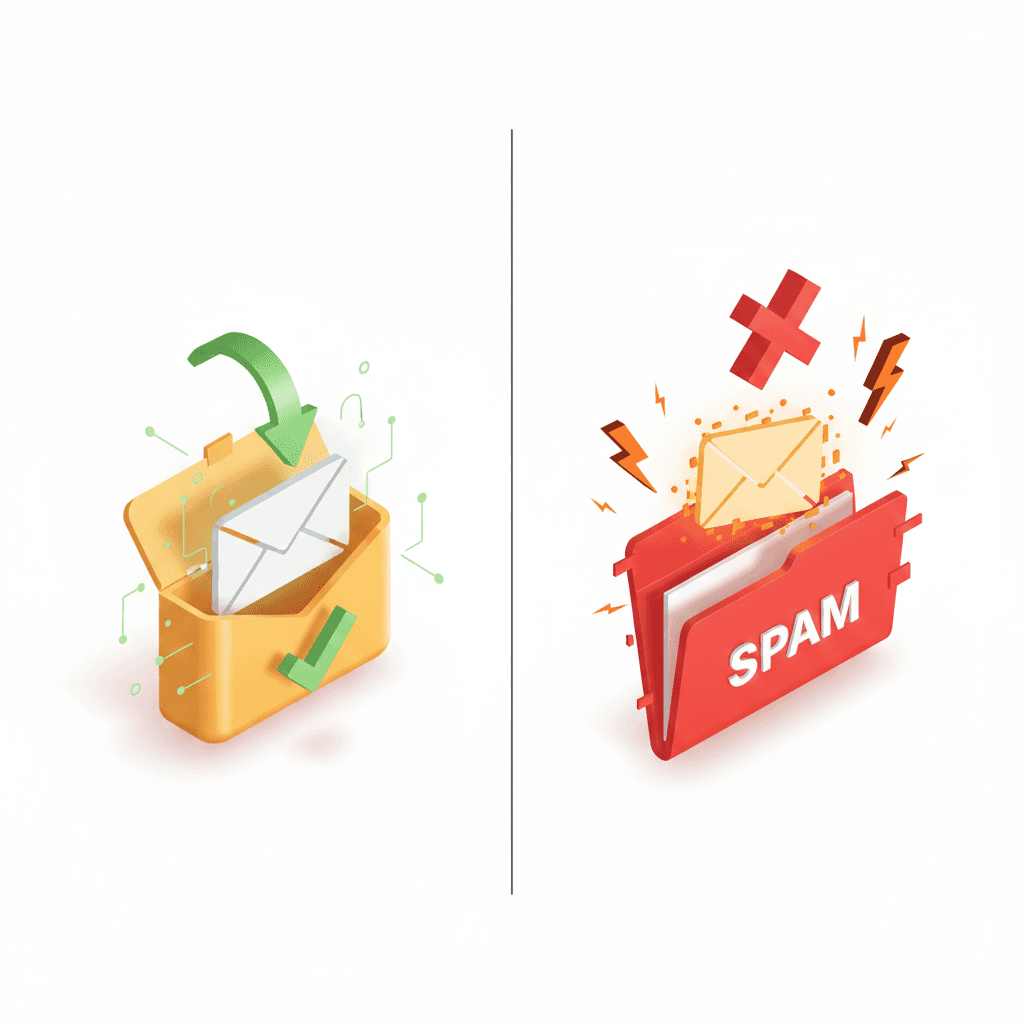
Your cold email is landing in spam. You've written the perfect pitch, found the right prospects, and hit send—only to watch your reply rates sit at 0.2%. The emails are going out. They're just never being seen.
This isn't a copywriting problem. It's a deliverability problem. And if your cold email is landing in spam, you're essentially paying to talk to yourself.
I've spent the last three years building cold email infrastructure for over 100 B2B companies. We've sent millions of emails. Most agencies obsess over subject lines and personalization. We obsess over reaching the inbox first—because the best email in the world is worthless if it never gets read.
Here's exactly why your cold emails are landing in spam, and how to fix it.
---
The Real Reason Your Cold Email Lands in Spam
Email providers like Google and Microsoft use sophisticated filtering systems. They're analyzing hundreds of signals to decide whether your email reaches the inbox, the promotions tab, or the spam folder.
The three biggest factors:
Sender Reputation — Your domain and IP history
Authentication — Whether you've properly configured SPF, DKIM, and DMARC
Content Signals — What your email actually says
Most people blame their copy when emails land in spam. In reality, 80% of spam placement issues are infrastructure problems, not content problems.
Let me break down each factor.
---
Factor #1: Your Sender Reputation Is Damaged
Every email domain has a reputation score. Email providers track how recipients interact with your messages:
Do they open them?
Do they reply?
Do they mark them as spam?
Do they delete without reading?
If your domain has sent too many emails that got ignored, marked as spam, or bounced, your reputation tanks. Once it's damaged, every email you send starts with a penalty.
Warning Signs of a Damaged Reputation
Reply rates below 1%
Bounce rates above 3%
Open rates dropping week over week
Emails going to spam even for warm contacts
How to Check Your Reputation
Use these free tools:
Google Postmaster Tools — Shows your domain reputation with Gmail (High, Medium, Low, Bad)
MXToolbox — Checks if you're on any blacklists
mail-tester.com — Gives you a spam score out of 10
If Google Postmaster shows anything below "High" reputation, you have a problem.
---
Factor #2: Your Email Authentication Is Broken
Email authentication tells receiving servers that you're actually who you claim to be. Without proper authentication, your emails look suspicious—and suspicious emails get filtered.
Three protocols matter:
SPF (Sender Policy Framework)
SPF is a DNS record that lists which servers are allowed to send email on behalf of your domain. If your email comes from an unauthorized server, it fails SPF and looks like a spoofed message.
Common SPF Mistakes:
Missing SPF record entirely
Too many DNS lookups (limit is 10)
Not including your sending platform (Instantly, Smartlead, etc.)
DKIM (DomainKeys Identified Mail)
DKIM adds a cryptographic signature to your emails. It proves the message wasn't tampered with in transit.
Common DKIM Mistakes:
DKIM not enabled on your sending platform
Mismatched selector records
Key not properly published in DNS
DMARC (Domain-based Message Authentication)
DMARC tells email providers what to do when SPF or DKIM fails. It also gives you reporting on who's sending email using your domain.
Common DMARC Mistakes:
No DMARC record at all
Policy set to "none" (provides no protection)
Not monitoring DMARC reports
How to Check Your Authentication
Run your domain through MXToolbox SuperTool. Check for:
✅ SPF record present and valid
✅ DKIM record present
✅ DMARC record with at least
p=quarantine
If any of these are missing or misconfigured, fix them before sending another email.
---
Factor #3: Your Sending Patterns Look Suspicious
Email providers watch how you send, not just what you send. Sudden spikes in volume, inconsistent sending patterns, and high bounce rates all trigger spam filters.
Red Flag Sending Patterns
New domain, high volume: Sending 500 emails/day from a domain that's 2 weeks old
Inconsistent cadence: 10 emails one day, 500 the next, then nothing for a week
No warmup period: Going from 0 to full blast immediately
High bounce rates: Sending to bad email lists
What Good Sending Looks Like
A properly warmed domain sends like a real person:
Week 1-2: 5-10 emails/day
Week 3-4: 20-30 emails/day
Week 5-6: 50-75 emails/day
Week 7-8: 100-150 emails/day
Ongoing: Scale based on engagement
This gradual ramp-up builds trust with email providers. Jump straight to high volume, and you'll land in spam immediately.
---
Factor #4: Your Content Triggers Spam Filters
Once your infrastructure is solid, content starts to matter. Certain words, phrases, and patterns trigger spam filters.
Spam Trigger Words to Avoid
High-risk words:
Free, guarantee, no obligation
Act now, limited time, urgent
Click here, buy now, order today
Million dollars, earn money, cash bonus
Medium-risk phrases:
"I noticed that..."
"I hope this email finds you well"
"Just following up"
"Quick question"
These aren't automatically spam, but they're overused in cold email. Filters recognize patterns.
Link and Formatting Red Flags
Too many links: Keep it to 1-2 max
Link shorteners: bit.ly, tinyurl look spammy
Tracking pixels: Some providers flag heavy tracking
HTML-heavy emails: Plain text often performs better
Images: Avoid images in cold emails entirely
What Good Cold Email Content Looks Like
Keep it simple:
Plain text, no images
One link maximum (your calendar or website)
No spammy words
Short paragraphs
Sounds like a human, not a template
---
Factor #5: You're Sending From Your Primary Domain
This is the biggest mistake I see. Companies send cold emails from their main domain (company.com), damage its reputation, and suddenly their transactional emails, customer communications, and even employee emails start landing in spam.
Never send cold emails from your primary domain.
The Right Infrastructure Setup
Use dedicated subdomains for cold outreach:
Primary domain: company.com (never for cold email)
Cold email domains: getcompany.io, trycompany.co, meetcompany.com
Each cold email domain should have:
Its own Google Workspace or Microsoft 365 account
Proper SPF, DKIM, DMARC configuration
A warmup period before sending campaigns
A sending limit (max 50-100 emails/day per mailbox)
At BuzzLead, we set up 39-55 subdomains per client. This distributes volume across multiple domains, protects reputation, and maximizes inbox placement.
---
How to Test If Your Emails Are Landing in Spam
Before blaming content or copy, test where your emails actually land. Here's how to diagnose the problem systematically.
Method 1: Seed List Testing
Create accounts at major email providers and send test emails to yourself:
Gmail (personal and Google Workspace)
Microsoft Outlook (personal and Microsoft 365)
Yahoo Mail
Apple iCloud
Send your actual campaign email to these accounts. Check inbox, promotions tab, and spam folder for each. If you're hitting spam on Gmail but inbox on Outlook, you have a Gmail-specific reputation issue.
Method 2: Use mail-tester.com
This free tool gives you a spam score out of 10. It checks:
Authentication (SPF, DKIM, DMARC)
Blacklist status
Content analysis
Server configuration
Anything below 8/10 needs attention. Below 6/10 means you're definitely hitting spam.
Method 3: GlockApps or MailGenius
These paid tools send your email to a seed list across dozens of providers and report exactly where each one lands. Worth the investment if you're sending at scale.
Method 4: Monitor Your Metrics
Your campaign data tells a story:
| Metric | Healthy Range | Problem Range |
|--------|--------------|---------------|
| Open rate | 45-65% | Below 30% |
| Reply rate | 2-5% | Below 1% |
| Bounce rate | Under 2% | Above 3% |
| Unsubscribe/spam | Under 0.1% | Above 0.3% |
If your open rates suddenly drop from 55% to 20%, you've hit a deliverability wall. Don't keep sending—diagnose first.
---
The Domain Warmup Process (Step by Step)
A new domain has no reputation. Email providers don't know if you're legitimate or a spammer. Warmup is how you prove you're trustworthy.
Week 1-2: Foundation
Volume: 5-10 emails per day
Recipients: Friends, colleagues, existing contacts
Action: Have recipients open, reply, and mark as important
Goal: Establish positive engagement signals
Week 3-4: Building Trust
Volume: 20-40 emails per day
Recipients: Mix of warm contacts and low-risk cold prospects
Action: Continue engagement, monitor bounce rates closely
Goal: Prove consistent sending patterns
Week 5-6: Scaling Carefully
Volume: 50-75 emails per day
Recipients: Start real campaigns with verified lists
Action: Watch reply rates, adjust if engagement drops
Goal: Reach operational volume without triggering filters
Week 7-8: Full Operation
Volume: 75-100 emails per day per mailbox
Recipients: Full campaign deployment
Action: Monitor Google Postmaster for reputation changes
Goal: Maintain "High" reputation while running campaigns
Critical rule: If engagement drops or bounces spike, reduce volume immediately. Better to slow down than burn your domain.
---
Advanced Deliverability Tactics
Once you've nailed the basics, these tactics push inbox placement even higher.
Tactic 1: Inbox Rotation
Spread your sending across multiple mailboxes in rotation. Instead of 100 emails from one mailbox, send 25 emails from four mailboxes. This:
Reduces per-mailbox load
Distributes risk
Mimics natural human sending patterns
Tactic 2: Custom Tracking Domains
Generic tracking pixels (from Instantly, Smartlead, etc.) are shared across thousands of senders. If other users damage that tracking domain's reputation, your deliverability suffers.
Set up custom tracking domains unique to your infrastructure. It requires extra DNS configuration but isolates your reputation.
Tactic 3: Secondary Inbox for Replies
Route all replies to a separate inbox that doesn't send. This keeps your sending mailbox focused on outbound, while replies (which boost reputation) flow through. Many platforms support this with "reply-to" configuration.
Tactic 4: Segment by Provider
Different email providers have different thresholds. You might have great reputation with Gmail but poor reputation with Outlook. Segment your lists by provider and adjust volume accordingly.
If your Gmail open rates are 55% but Outlook is 20%, reduce Outlook volume and investigate why that provider specifically is filtering you.
Tactic 5: Engagement Reset Campaigns
If a domain's reputation is declining, pause cold campaigns and send to a highly engaged list (customers, newsletter subscribers, warm contacts). High open and reply rates can help reset reputation signals.
---
How We Fixed ProductEVO's Spam Problem
ProductEVO came to us with a familiar story: they'd been running cold email campaigns for 6 months with nearly zero results. Reply rates were under 0.5%. They assumed their messaging was wrong.
We audited their setup and found:
❌ Sending from primary domain (producteevo.com)
❌ SPF record had 12 DNS lookups (limit is 10)
❌ No DKIM configured
❌ DMARC set to "none"
❌ Sending 300 emails/day from a single mailbox
❌ Bounce rate at 8%
Their emails were going straight to spam. The copy was actually fine—it just never reached anyone.
What We Changed
Set up dedicated infrastructure: 12 new domains, 36 mailboxes
Fixed authentication: Proper SPF, DKIM, DMARC on every domain
Warmed domains: 8-week gradual ramp-up
Cleaned their list: Removed invalid emails, brought bounce rate to 1.2%
Distributed volume: Max 50 emails per mailbox per day
The Results
Within 90 days:
Open rates: 12% → 62%
Reply rates: 0.5% → 4.8%
Meetings booked: 3 → 14 per month
Pipeline generated: $90K in new opportunities
The messaging barely changed. The infrastructure made the difference.
---
Case Study: Life360's B2B Expansion
Life360, known for their family safety app, wanted to expand into B2B partnerships. They'd tried cold email in-house with mediocre results—reply rates around 1%, sporadic meetings.
When we analyzed their setup, we found classic mistakes:
Primary domain at risk: Sending cold email from life360.com
Shared IP pools: Using a sending platform with degraded reputation
No dedicated infrastructure: Competing with thousands of other senders
The Infrastructure Overhaul
We built dedicated B2B outreach infrastructure:
8 separate domains (meetlife360.io, trylife360.co, etc.)
24 warmed mailboxes across Google Workspace and Microsoft 365
Custom tracking domains isolated from shared pools
Strict volume caps: 50 emails per mailbox maximum
Volume Distribution Strategy
Instead of hammering one domain, we spread 1,200 monthly emails across the entire infrastructure:
| Domain | Daily Volume | Provider |
|--------|--------------|----------|
| meetlife360.io | 50 | Google |
| trylife360.co | 50 | Google |
| getlife360.io | 50 | Microsoft |
| life360teams.com | 50 | Microsoft |
| ... (4 more) | 50 each | Mixed |
This distribution kept each domain's reputation pristine while achieving meaningful scale.
Results After 6 Months
Reply rate: 1% → 6.2%
Monthly meetings: 4 → 18
Pipeline value: $120K MRR in new B2B partnerships
Domain reputation: All domains maintained "High" rating
The playbook: protect your primary domain, distribute volume across dedicated infrastructure, and never sacrifice reputation for short-term volume.
---
Common Mistakes That Kill Deliverability
Even companies with good intentions make these errors:
Mistake 1: Buying Email Lists
Purchased lists are poison. They contain:
Invalid emails that bounce
Spam traps planted by providers
People who've never heard of you
Bounce rates skyrocket, spam complaints increase, and your domain gets flagged. Build your own lists or use verified data providers.
Mistake 2: Ignoring Bounces
Every bounce hurts your reputation. Hard bounces (invalid addresses) are particularly damaging. If your bounce rate exceeds 3%, pause sending immediately and clean your list.
Use email verification tools (MillionVerifier, NeverBounce, ZeroBounce) before every campaign. It costs pennies per email and saves your domain.
Mistake 3: Scaling Too Fast
The temptation: "We need more meetings, let's send more emails." The result: domain gets torched, you're back to zero.
Sustainable cold email scales gradually. If you need more volume, add more infrastructure (domains, mailboxes), don't push existing infrastructure harder.
Mistake 4: Same Email to Everyone
Mass-blast identical emails trigger spam filters. Providers detect when thousands of nearly-identical messages hit their servers.
Personalization isn't just about conversion—it's about deliverability. Variable first names, company names, and custom opening lines make each email unique enough to avoid pattern detection.
Mistake 5: Not Monitoring Reputation
Your domain reputation can change daily. If you're not monitoring Google Postmaster Tools and watching your metrics, you won't catch problems until it's too late.
Set up weekly reputation checks. At BuzzLead, we monitor client infrastructure daily and catch issues before they escalate.
---
The Deliverability Checklist
Before you send another cold email, run through this checklist:
Domain Setup
[ ] Using dedicated domains (not your primary)
[ ] Domains are at least 2 weeks old
[ ] Domains have been warmed for 4+ weeks
Authentication
[ ] SPF record valid (under 10 DNS lookups)
[ ] DKIM enabled and properly configured
[ ] DMARC set to at least
p=quarantine
Sending Patterns
[ ] Max 50-100 emails per mailbox per day
[ ] Consistent daily sending (no spikes)
[ ] Bounce rate under 3%
Content
[ ] Plain text format
[ ] No spam trigger words
[ ] One link maximum
[ ] No images or attachments
List Quality
[ ] All emails verified before sending
[ ] No role-based emails (info@, sales@)
[ ] Regular list cleaning
If you can't check every box, fix the gaps before scaling.
---
When to Call in Experts
Deliverability is technical. You can learn it yourself, but the learning curve is steep and the cost of mistakes is high.
Consider working with a cold email agency if:
You've tried fixing deliverability yourself without improvement
You're sending 10,000+ emails per month
You can't afford months of experimentation
Your sales team's time is better spent closing than debugging DNS records
At BuzzLead, we've built cold email infrastructure for companies like Life360 (generated $120K MRR from cold email), ProductEVO ($90K pipeline in 90 days), and dozens of others. Deliverability is our obsession—because without inbox placement, nothing else matters.
---
FAQ
How long does it take to fix deliverability issues?
If your domain reputation is severely damaged, expect 4-8 weeks of recovery. This includes warming new domains, cleaning your list, and gradually rebuilding trust with email providers. Quick fixes don't exist—email providers track reputation over time.
Can I recover a domain that's been blacklisted?
Sometimes. Check which blacklists you're on using MXToolbox. Some blacklists have removal request processes. Others expire automatically after 30-90 days of no spam complaints. In severe cases, it's faster to start fresh with new domains than to rehabilitate a badly damaged one.
How many emails can I send per day without hitting spam?
A properly warmed domain with good reputation can send 50-100 emails per day per mailbox. Going higher risks reputation damage. To scale volume, add more mailboxes across multiple domains rather than pushing single mailboxes harder.
Should I use email warmup tools?
Yes, but they're not magic. Tools like Instantly, Warmbox, or Mailreach send automated emails between mailboxes to simulate engagement. They help—but only if your authentication is correct and your list is clean. Warmup alone won't fix broken infrastructure.
Why do my emails go to spam for some recipients but not others?
Different email providers (Gmail, Outlook, Yahoo) have different filters. Your reputation might be fine with one provider but damaged with another. Also, individual spam filters learn from user behavior—if someone at a company marked a similar email as spam before, yours might get filtered too.
---
Ready to Fix Your Deliverability?
Stop guessing why your cold emails land in spam. Book a call with BuzzLead and we'll audit your current setup, identify the exact issues, and build infrastructure that actually reaches the inbox.
We've helped 100+ B2B companies go from spam folder to sales pipeline. Your turn.
Book Your Deliverability Audit →
---
Troy Aitken is the co-founder of BuzzLead, a B2B cold email agency that specializes in deliverability and infrastructure. Follow him on Twitter/X for daily cold email insights.